I was engaged in an email exchange with a potential new client and they specifically asked about extracting the text content from ALL 10-K filings. I added the bold upper-case – to me the word ALL is a trigger word (as my son would say) because I have to then feel motivated to explain why ALL is not always the best answer.
To make sure you have the context – our platform will provide direct access to the raw text of the documents we have indexed (the markup is left behind). More and more researchers are using this raw text to test various hypotheses and to train AI systems. So people ask me – how can I get ALL.
The problem with ALL is that too many SEC registrants are not going to have securities whose prices are readily available. So if you get ALL then at some point the ones that you can’t match to some measure of value are toast.
I can understand if folks think well – it is easy enough to push that button and worry about filtering later. I can discard those that I don’t need. But actually it is very costly to you to collect more data then you need. Your time is the most expensive part of any research project.
The prospect wanted to know specifics – how much time will it take me to download ALL 10-K filings. To answer this questions I logged into an instance and ran a search to identify all 10-K (and EXHIBIT-13) filings made from 1/1/2016 to 12/31/2017. There were a bit more than 17,000 10-Ks in this window. I set a time and pushed the magic button and in two hours and nine minutes later I had all 17,000+ raw text files ready to save to my local computer. That is not horrible time wise – it just works but – it took longer than it needed to because almost 1/2 of those will not match to other data if trying to test a value/security price hypothesis. In my analysis I told our prospect that the system delivered on average 133 filings per-minutes.
However, since I was triggered I ran a second test. This time I only extracted 10-K filings made in 2018. There were a bit more than 8,200 filings. So roughly this is half the size of the first group. How much time do you think it took to extract those 10-Ks? In my test it took 32 minutes – or a rate of about 256 files per minute! Almost twice as fast.
Why this significant rate difference? A small part of it might or might not be due to butterflies flapping their wings in my backyard the second time I did it. The biggest factor that drives up that timing difference is a complicated but cool memory issue in Windows. (I’m going to be nerdy here) Like most applications – we use OS system hooks to do the tasks we want to accomplish. Windows manages memory and all that cool stuff so we can focus on our goals. The cool think is that Windows retains memory references to everything that is done until – usually you close an application. Finally the punchline – when Windows runs out of RAM memory it starts using disk memory – so it writes all of that memory stuff to disk and has a nifty table it uses to figure out where things are. The problem is that once you overrun memory and the disk memory comes into play there is a substantial slowdown of the work you are doing. Our instance disks are fast but they are much slower than RAM.
My general rule of thumb is that once you have manipulated about 10,000 10-K filings (which is a lot) the manipulation of the next one is considerably slower than the manipulation of any earlier ones. This a heuristic, there are other factors involved – but I have used our application a lot. In the first experiment – when I extracted the 17.2K filings – the first 8,600 took about 50 minutes. The second 69 minutes. I told you this was cool – the second group was roughly 38% slower. One of the other factors in play is that in the first case the application has 17K +/- documents available and in the second case it was only keeping track of 8.2K. Less memory was available for the document extraction from the beginning.
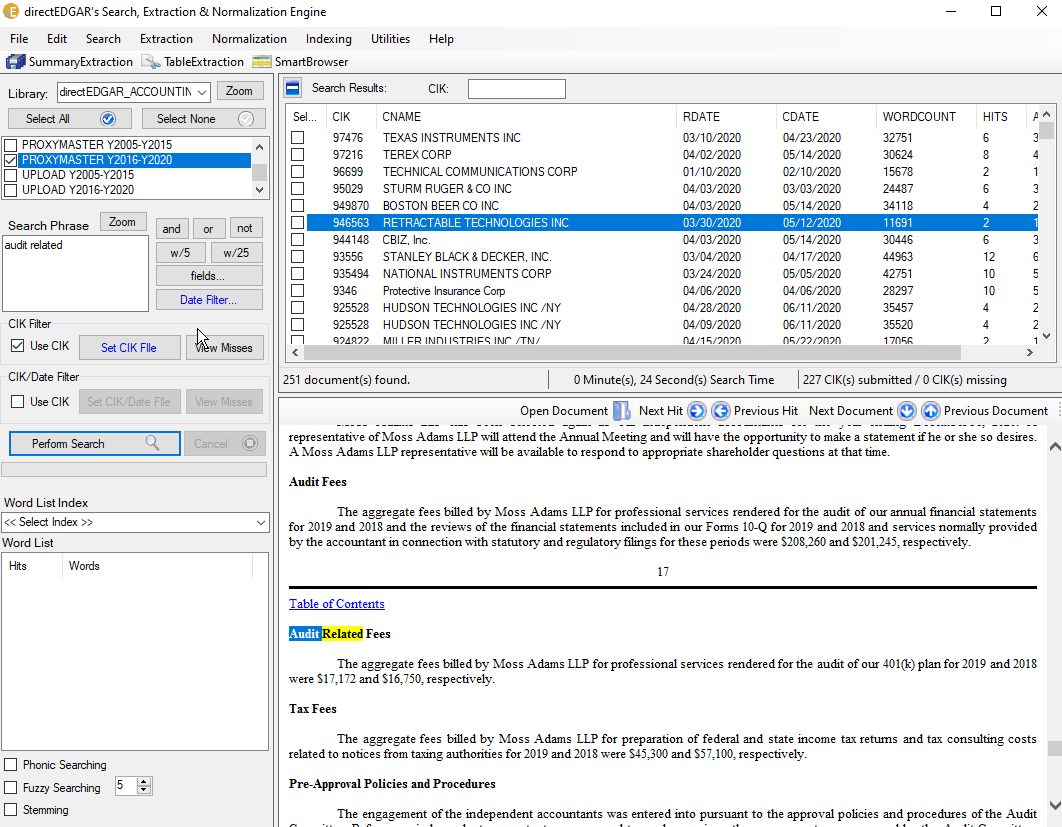
So by CIK filtering you are reducing your total work load (and the time you need to pay attention to the process) substantially. Yes, I did compare two years to one year. But remember – I suspect you can’t match half of the 10-K filings from any one year to security prices data in a reliable way. I suspect a filter of total assets greater than zero and the existence of common stock for each year of your analysis would substantially reduce the filings you would extract.
Pushing the button is easy – waiting for data that you will not use can be expensive!